Public event page
Publish event information, location, ticket choices, and guest-list signup in one organization context.
 PrivXS
A connected event, ticket, and access platform
Bring your public event page, individual QR tickets, guest list, event-specific scanners, check-in, team roles, and the next edition together—without giving the door team organization or sales administration access.
€99 per year covers the PrivXS Pro subscription. Pay it through Mollie after account activation; customer ticket payments use your connected sales-payment provider.
The ticket-selling organizer route requires a registered business, a current business DPA, a ready seller payment provider, and a suitable plan. Personal creators can choose Free, Pro, or Premium for informational events and audience tools, but cannot sell tickets or products.
Publish event information, location, ticket choices, and guest-list signup in one organization context.
Offer multiple ticket types while every sold item keeps its own scannable QR code.
Assign a scanner to the event they are working on, with only the information needed at the door.
Keep operational guest data separate from the explicit signup needed for promotional follow-up.
From publication to the next edition
Each role gets a focused part of the same flow, while the organizer keeps control of publication, sales, access, and follow-up.
Create the organization and event page with the public information visitors need.
Add ticket types and let customers check out through your configured sales-payment provider.
Every definitive sold ticket item receives an individual QR code for controlled admission.
The owner assigns scanners to the specific event where they are part of the door team.
Scan tickets or check in a guest, with the successful actor and time recorded.
Contact only people who separately chose promotional updates about a future edition.
Current product proof
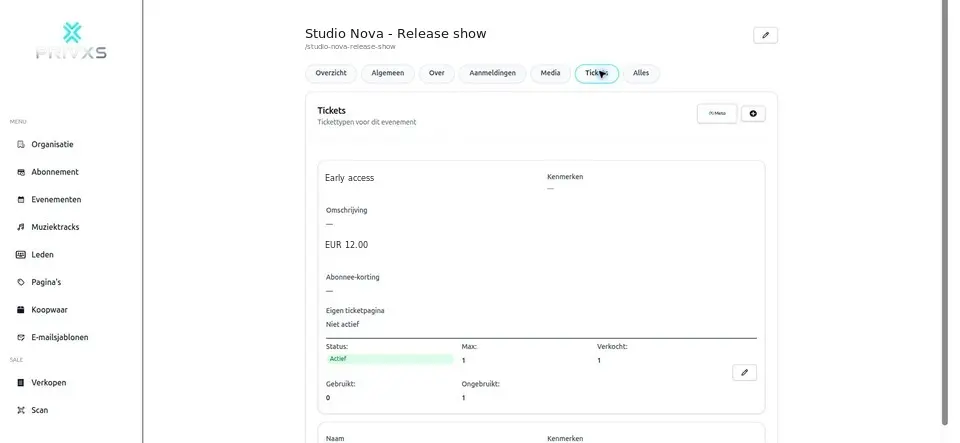
The organizer can work with multiple ticket types, a guest list, and temporary door staff without turning every team member into a full organization administrator.
Several ticket items can be purchased in one order while each item remains separately scannable.
Guests can join the list, authorized staff can add guests internally, and a guest is checked in once with actor and time.
A scanner sees assigned events, essential event information, the guest list, and the access actions required at the door.
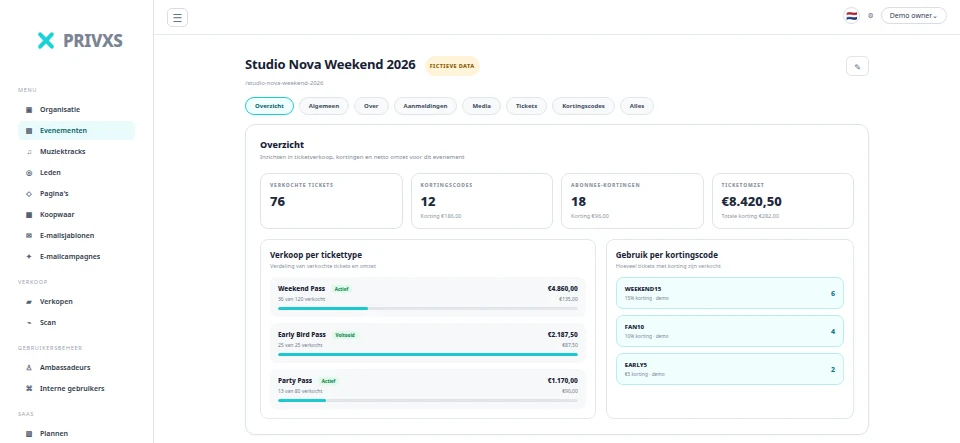
Review sold tickets, ticket types, and discount-code use without presenting incomplete historical totals as an exact margin result.
Clear team roles
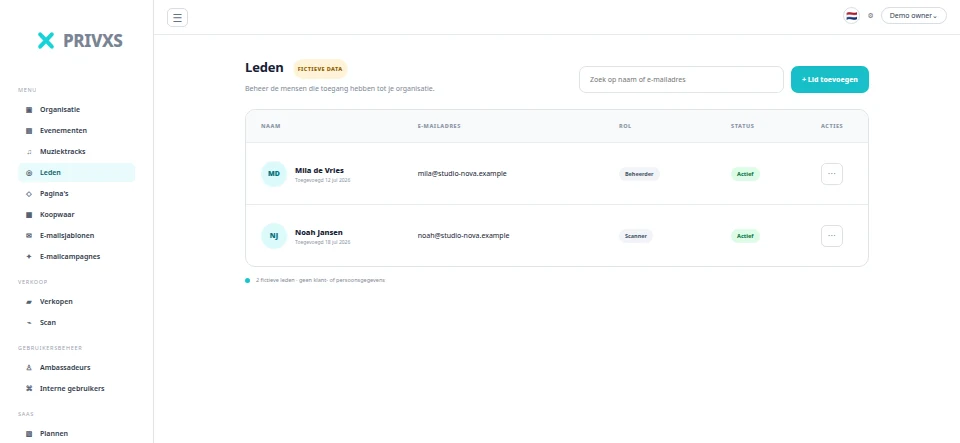
Controls the organization, manages team membership, and assigns scanners to events.
Helps manage organization and event work within the permissions granted to that role.
Works only with assigned events and the minimal ticket and guest-list information needed for admission.
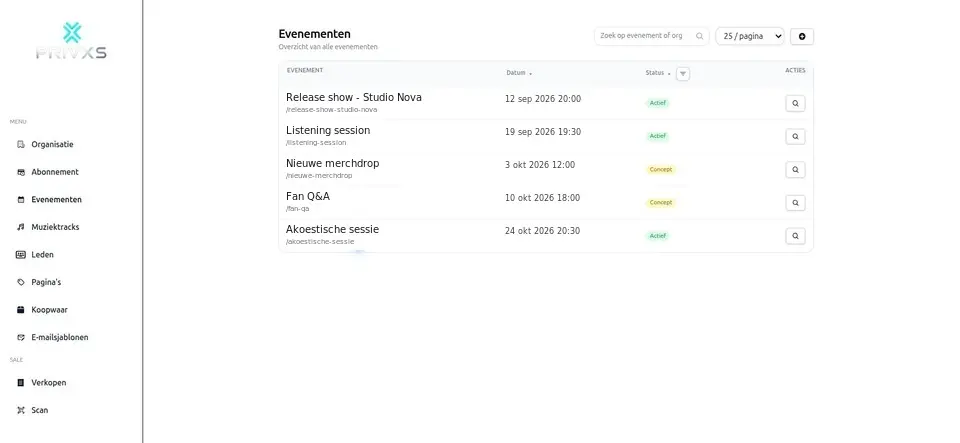
Approved product demo
These approved, sanitized Studio Nova fixtures show current event, ticket, result, and member workflows. They contain fictional operational data and are product proof—not testimonials or customer-result claims.
Audience follow-up with a clear boundary
Customer order details support the purchase, and guest-list details support event admission. Promotional email for the next edition requires a separate, clear signup. The public plan limits then determine the available promotional-email cadence.
EUR and Mollie first
The EUR PrivXS subscription is paid through Mollie after account activation. Customer ticket payments use the sales-payment provider connected to the organization. Subscription price, provider fees, service costs, and platform costs are separate parts of the payment context.
Small regional note: for organizations settling in XCG, PrivXS can also support Sentoo where that provider is configured.
Current Free, Pro, and Premium plans
These cards use the current public plan catalog, with the versioned built-in fallback only when that catalog is unavailable. The displayed prices are annual EUR subscription prices.
Free
No subscription payment
€99 per year
Billed annually
€199 per year
Billed annually
Questions
A public organization and event page, ticket types, individual QR tickets, guest-list signup and check-in, team roles, event-specific scanner assignment, and permission-based promotional follow-up.
The organization owner controls scanner assignment. Each scanner is linked to the event where they are scheduled to work.
Only assigned events, minimal event information, the relevant guest list, and the ticket or check-in actions required for admission—not sales or organization administration.
No. Order details are used to complete and support the purchase. Promotional follow-up requires a separate opt-in.
Customer ticket payments use the sales-payment provider configured for your organization. This is separate from the annual PrivXS subscription paid through Mollie.
The PrivXS subscription, payment-provider fees, service costs, and applicable platform costs are distinct. Check the current provider setup and plan information for your organization before selling.
No. The ticket-selling organizer path is business-only. A personal creator can choose Free, Pro, or Premium for an informational event presence and, after the Individual creator DPA, audience tools. They cannot configure a seller provider or sell tickets or products.
Registered business organizers can start Pro for the complete ticket and admission flow. Personal creators may use the non-commerce event and audience path.
Start with Pro — €99 per year